How we got here
(and a roadmap of where we're going next)
So, this is my Ruminarium. That’s what I’m calling my digital garden.
A digital garden is a space for collecting and building on ideas that aren’t fully formed yet. It’s a way of building personal wikis out in the public. And I think it might be the one way I want to live on the internet.
I feel like I’ve been talking about a digital garden longer than I’ve actually had one online. I did try to publish one using Notion, but for a number of reasons, I decided to take that down. Some of them might have included figuring out a tone of voice, being swept by work/life and being dissatisfied with the tools I had to use.
The biggest reasons I wanted to build this from scratch are ownership and customisability. I’d own everything I’m writing. I can build this site any way I’d want to. I can write on my files, and forget about the apps. I also have an excuse to learn just enough coding.
This site and its ideas wouldn’t be here without the gardeners who’ve been doing this for a long time. I first learnt about digital gardens on Sindhu Shivaprasad’s own, and then followed Maggie Appleton’s for delightful visual essays. More props to Andy Matuschak’s notes, and Steph Ango’s clarity of thought.
For newcomers, I do feel like I should do my due diligence and elaborate on this concept.
What makes a garden digital
Maggie’s and Sindhu’s explainers are stellar must-reads but here’s my gist of it.
✨ Where to start
The garden doesn’t prioritise airtight reasoning and sharp takes. Learning, revising and sharing are far more necessary. This means leaving our internet consumption habits at the gates. These spaces are meant to be imperfect. Writers are allowed to be wrong. And it’s a perpetual WIP - never complete, always changing. Please check out my Terms of Services to know what to expect.
🌱 What to plant
Notes, sketches, links, half-baked ideas, questions and more belong here, and are expected to grow over time. We focus more on giving these thoughts some care and attention, favouring process over product. There’s space for all of it to take root and thrive.
🪴 How it grows
Over time, the ideas turn into a network, connecting to one another like they do in our minds. The best example? Wikipedia (although that’s not technically a garden). This gives everyone the chance to find their own path in these gardens. This favouring of connections over chronology, budding thoughts over monolithic opinions, is what makes a garden unique to explore.
Oh, and another thing – here in the garden, every note can be seen in a stage of growth. I’m going to use 🌱, 🌳 and 🍊 progressively.
How I’ve built this site
I do believe that everyone should be able to set up their own gardens. Or broadly speaking, their own sovereign corner on the internet. That means shaping your personal site as you’d like it to be, data and design both. In true indie fashion, you should be able to publish on your own site and make what you need.
But the truth is that it’s just not easy enough to do this. You’d have to learn how the web works, figure out the tools you need and grind hours trying to understand the language behind it all. It’s way easier to rely on Wordpress, or anything of the like, to help you do all the heavy lifting so that you can just focus on the content.
But, if you’re willing, the autonomy might be worth it. Especially if you’re a barefoot developer like me and are willing to enlist some LLMs for help, from time to time. Here’s how I made mine :
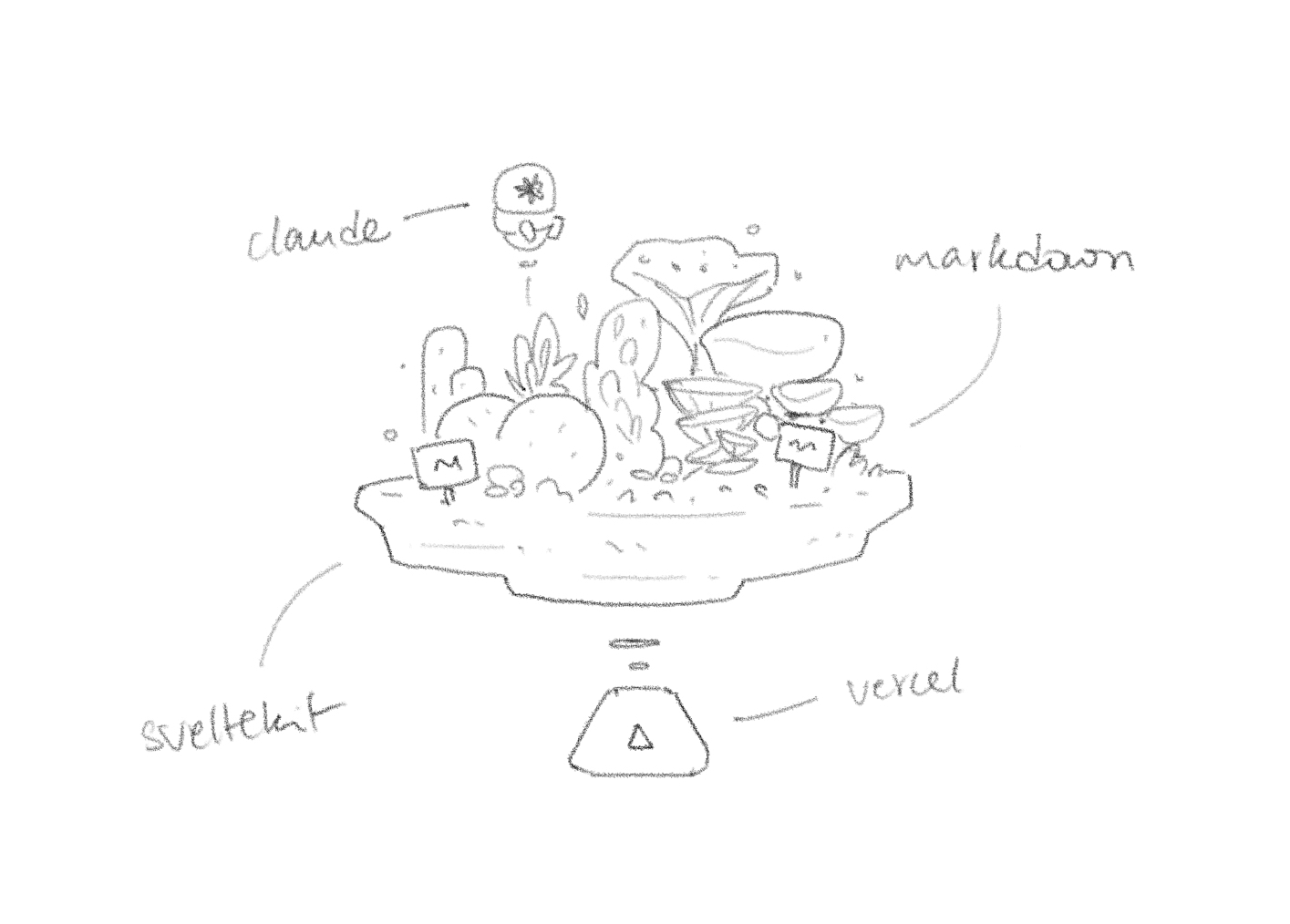
- I used Sveltekit to build my entire site. It’s lean, easy to learn and is gaining a lot of traction. There are plenty of tutorials that walk through building real-life projects in Svelte(kit) but I used Matija’s.
- I used Anthropic’s Claude to help me understand my codebase better and write more custom code.
- I write all my posts in Markdown and I use Obsidian to do that.
- This site is hosted on Vercel and Github.
What’s next
For all this talk of a truly personalised site, this one is quite bland. For now. The goal was to learn just enough code to set this up. Now that I have, there’s more to be done :
- A page for work
- More sections for resources I collect and things I’m reading
- A search bar
- Tag sorting for posts
- User authentication for some more protected posts?
- Maybe a homepage that feels more like a canvas than a list
This site uses minimal Javascript, but I do need to get better at it. My plan is to use more of it in my daily Observable and p5.js projects. Hopefully that trains the muscle 🤓
Onwards!
A list of my favourite digital gardens
Compiling a list of my favourite pastures on the internet.